

Triage
First aid for your money.
A local-first app for iPhone, iPad, and Mac for people tackling real debt. Track net worth, every account, and high-interest balances in one calm command center. Compare avalanche and snowball payoff strategies, catch every 0% promotional deadline, and test a plan before you commit to it. No account, no bank logins.

Every account. One workspace.
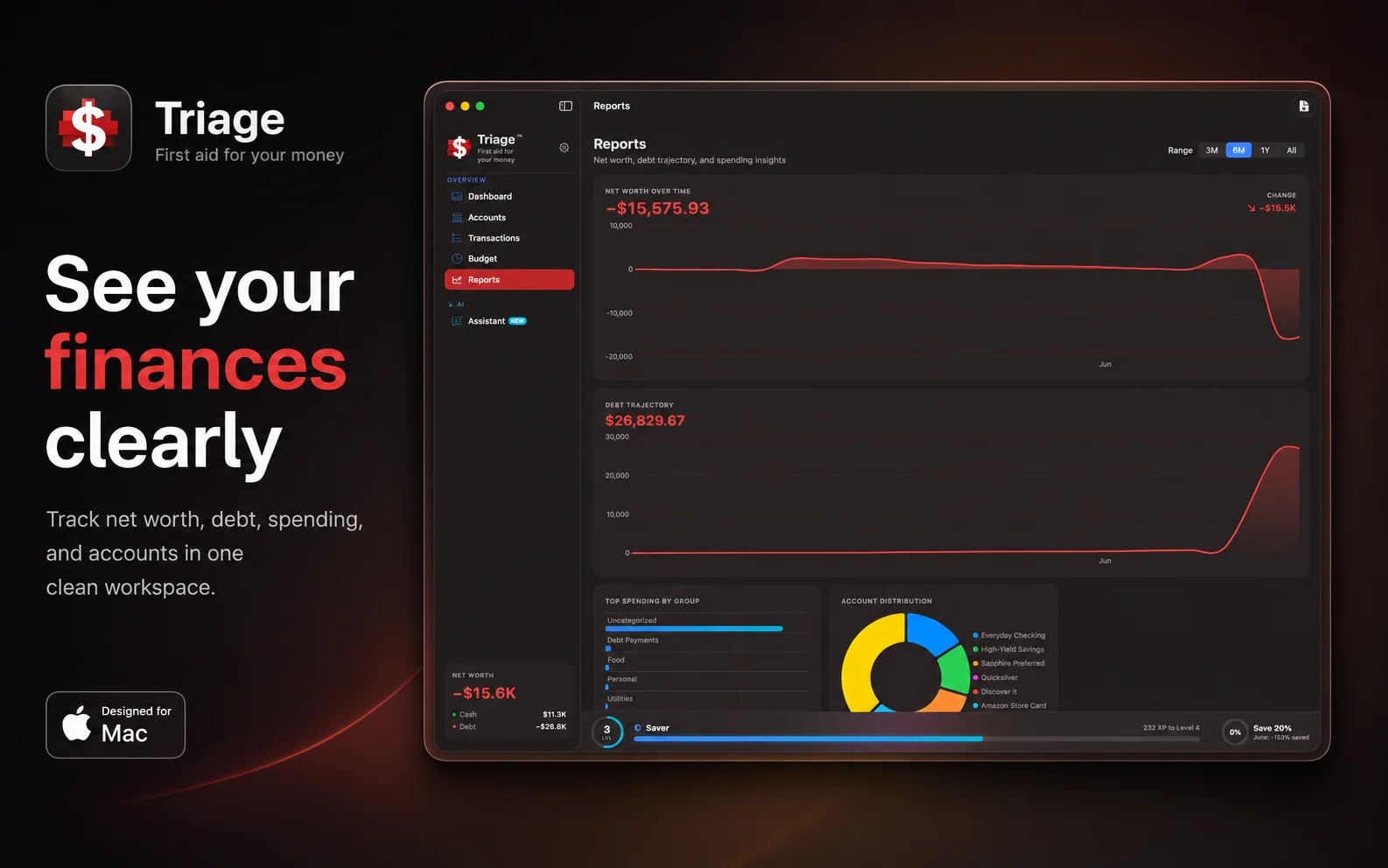
Net worth, debt, and spending in one clean view.
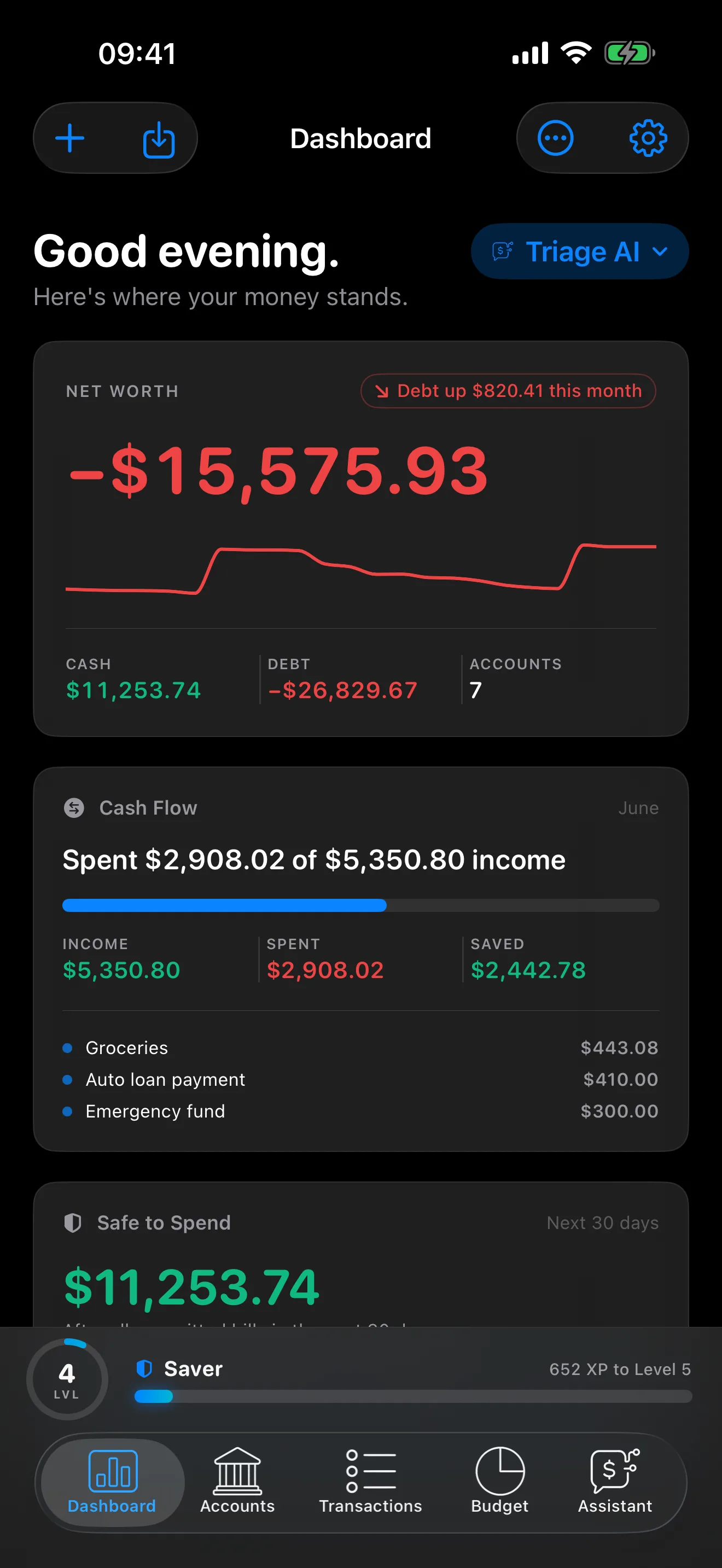
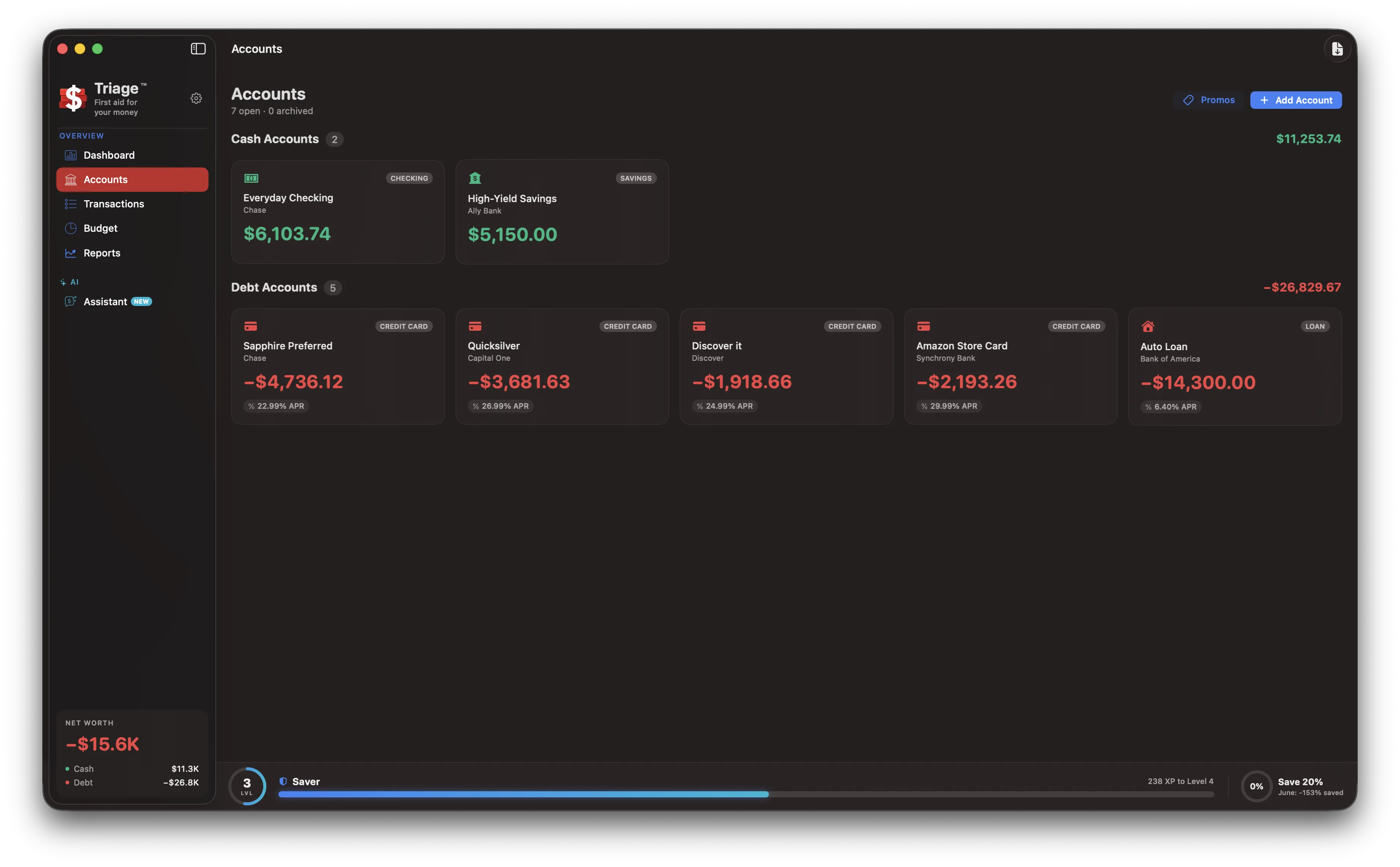
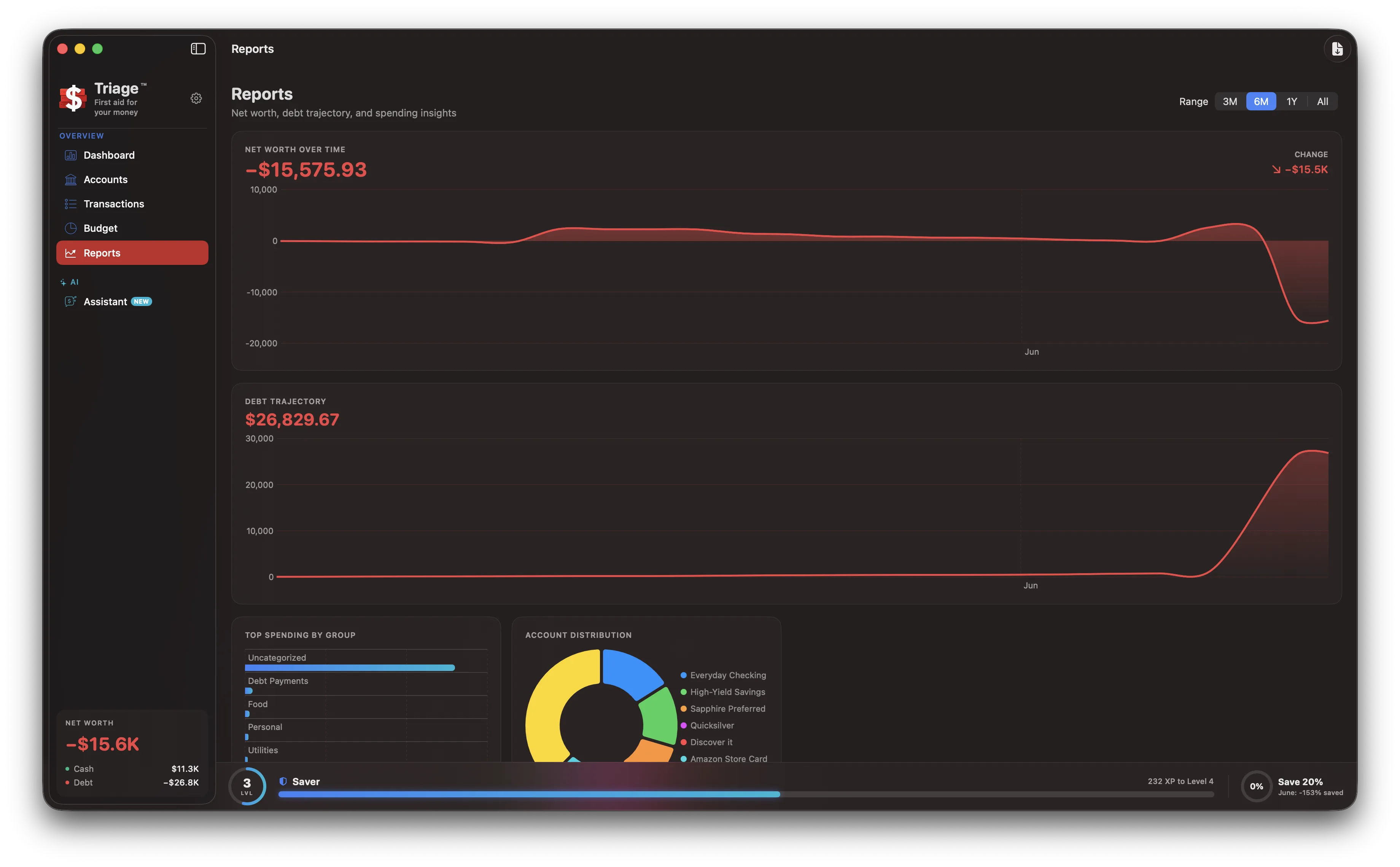
Triage tracks checking, savings, credit cards, loans, and investments, charts your net worth and debt-payoff trajectory over time, and breaks spending down by category. No spreadsheets, no fifteen browser tabs.
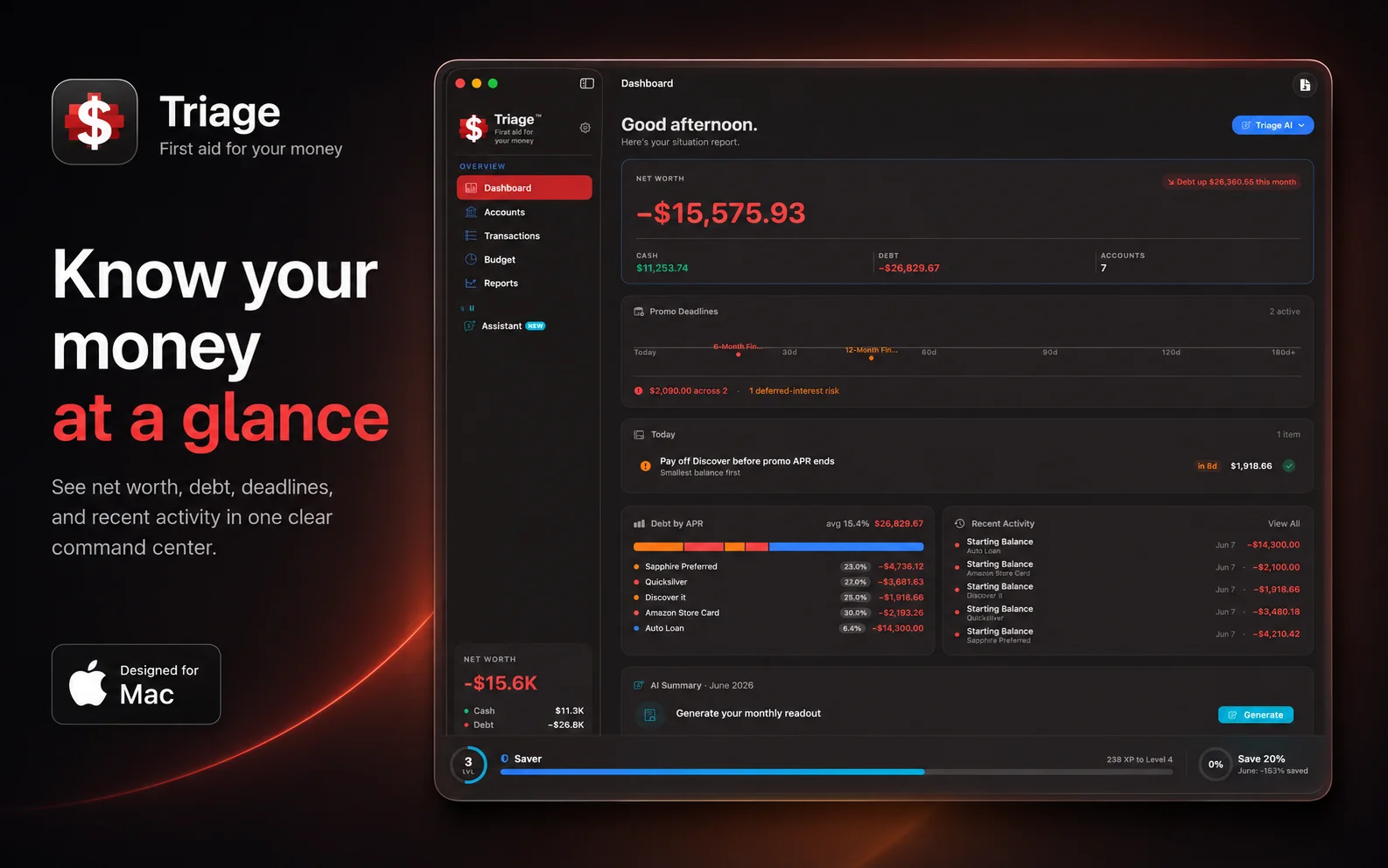
Open it and know where you stand.
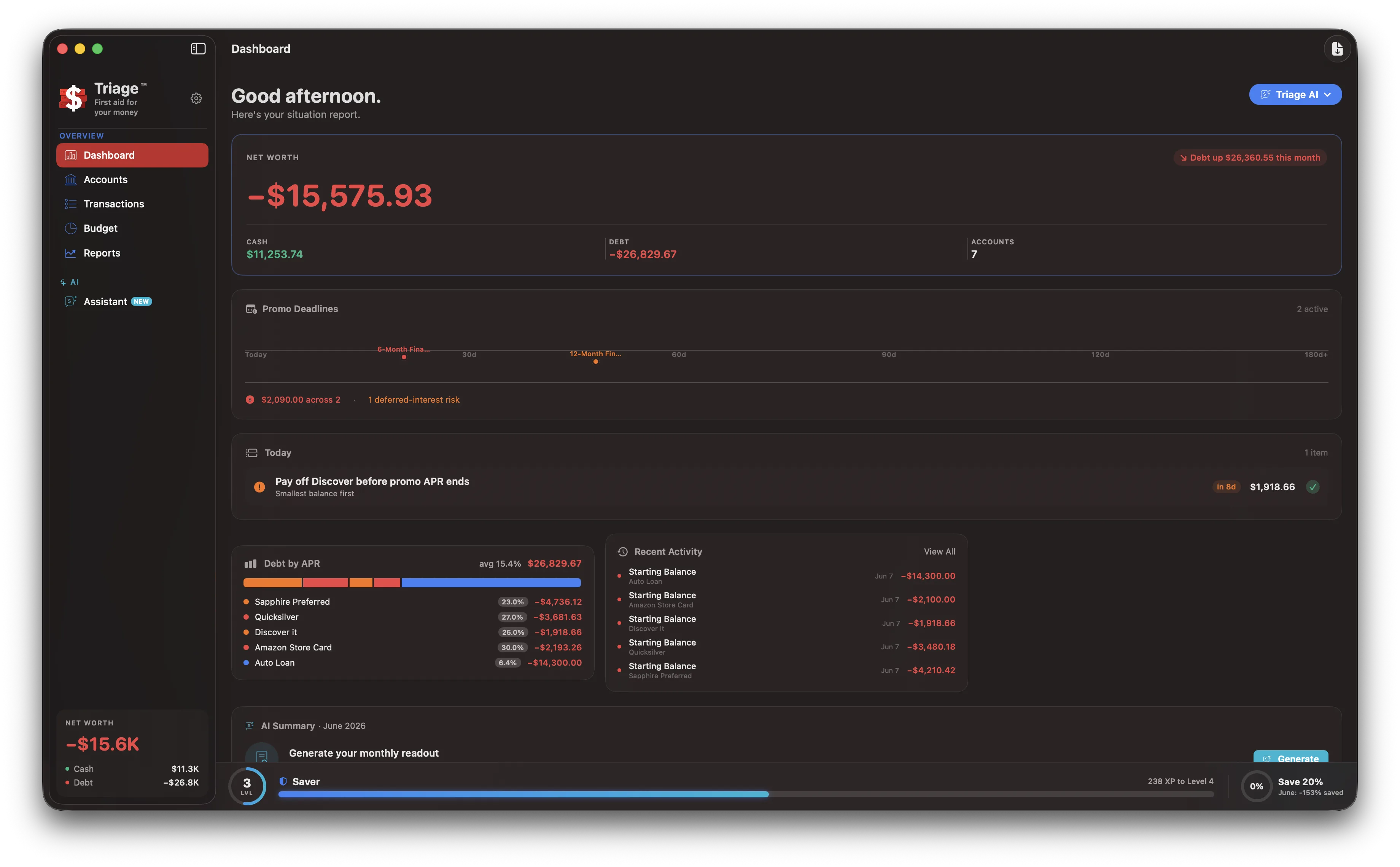
A dashboard that reads like a situation report: net worth, debt by APR, upcoming promotional deadlines, what is due today, and recent activity. The numbers that decide your month, up front, the moment you launch.
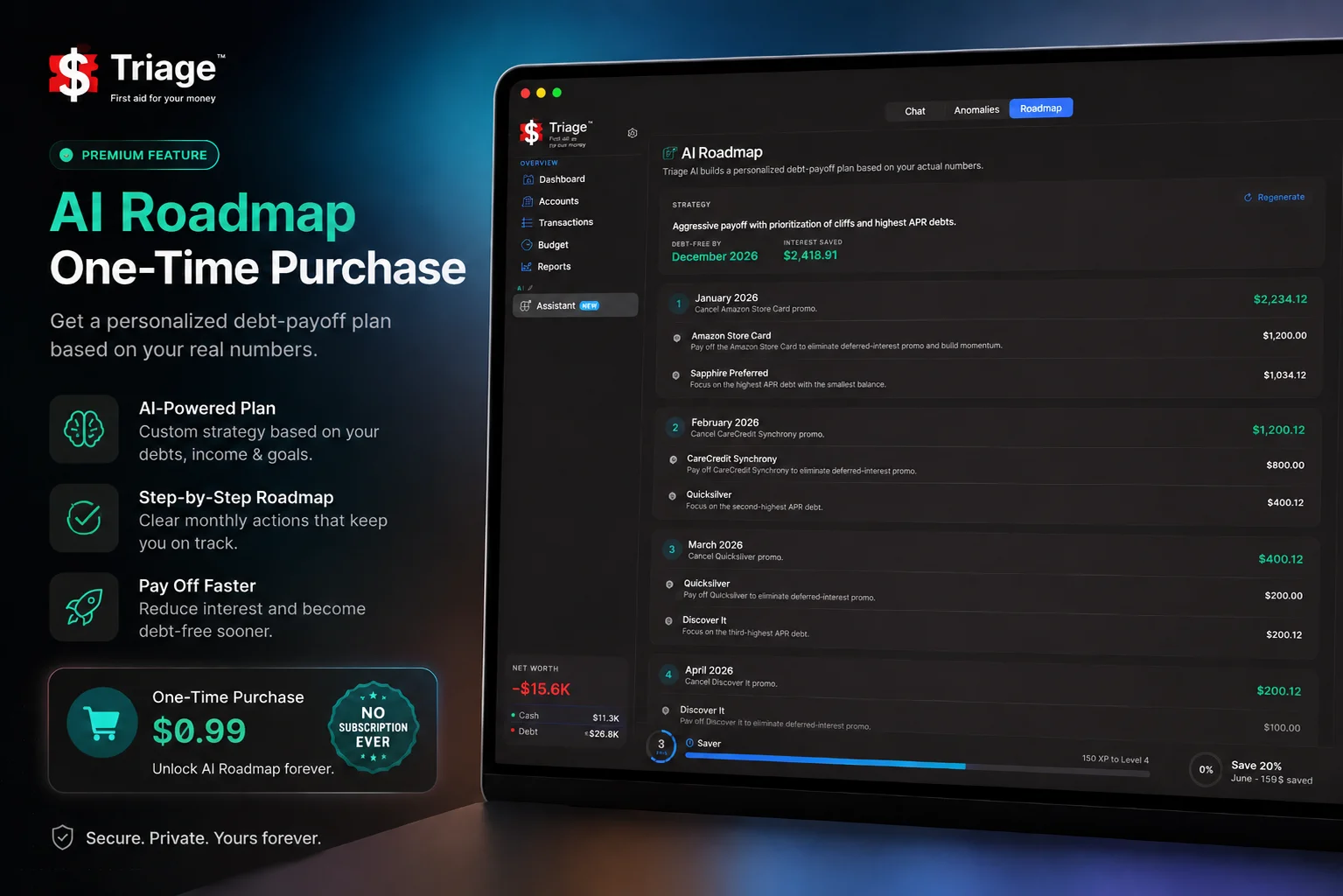
A payoff plan built on your real numbers.
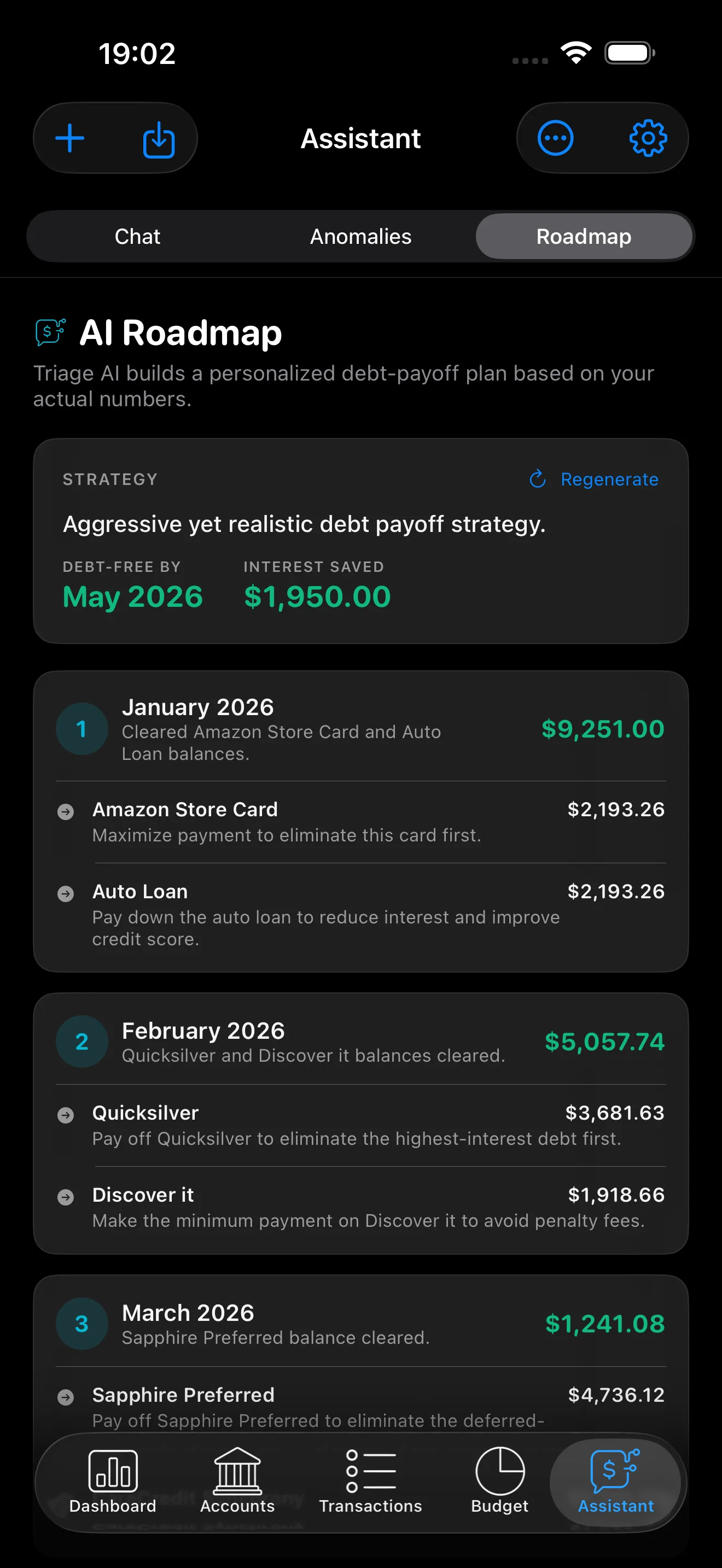
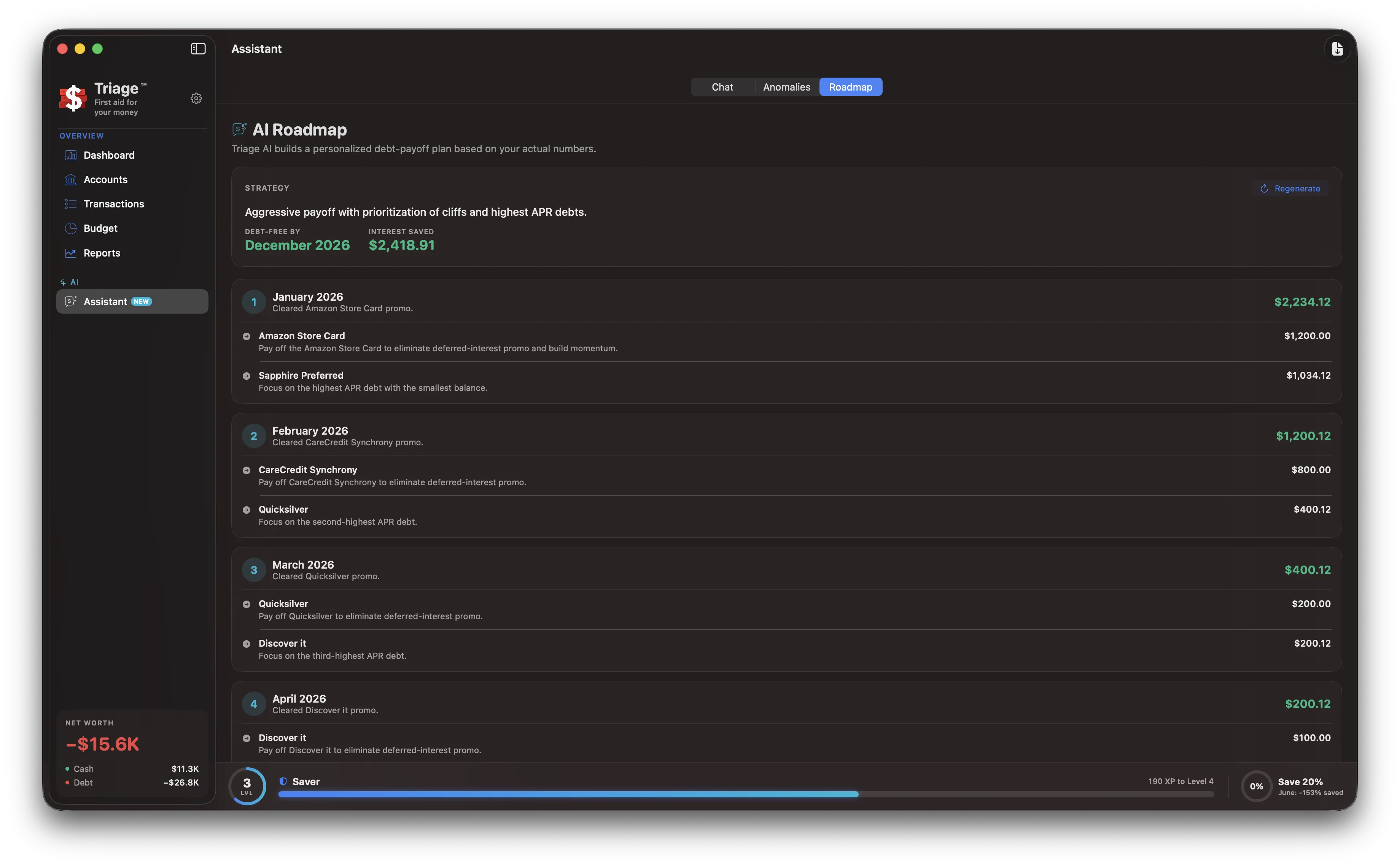
The roadmap prioritizes the balances bleeding you fastest.
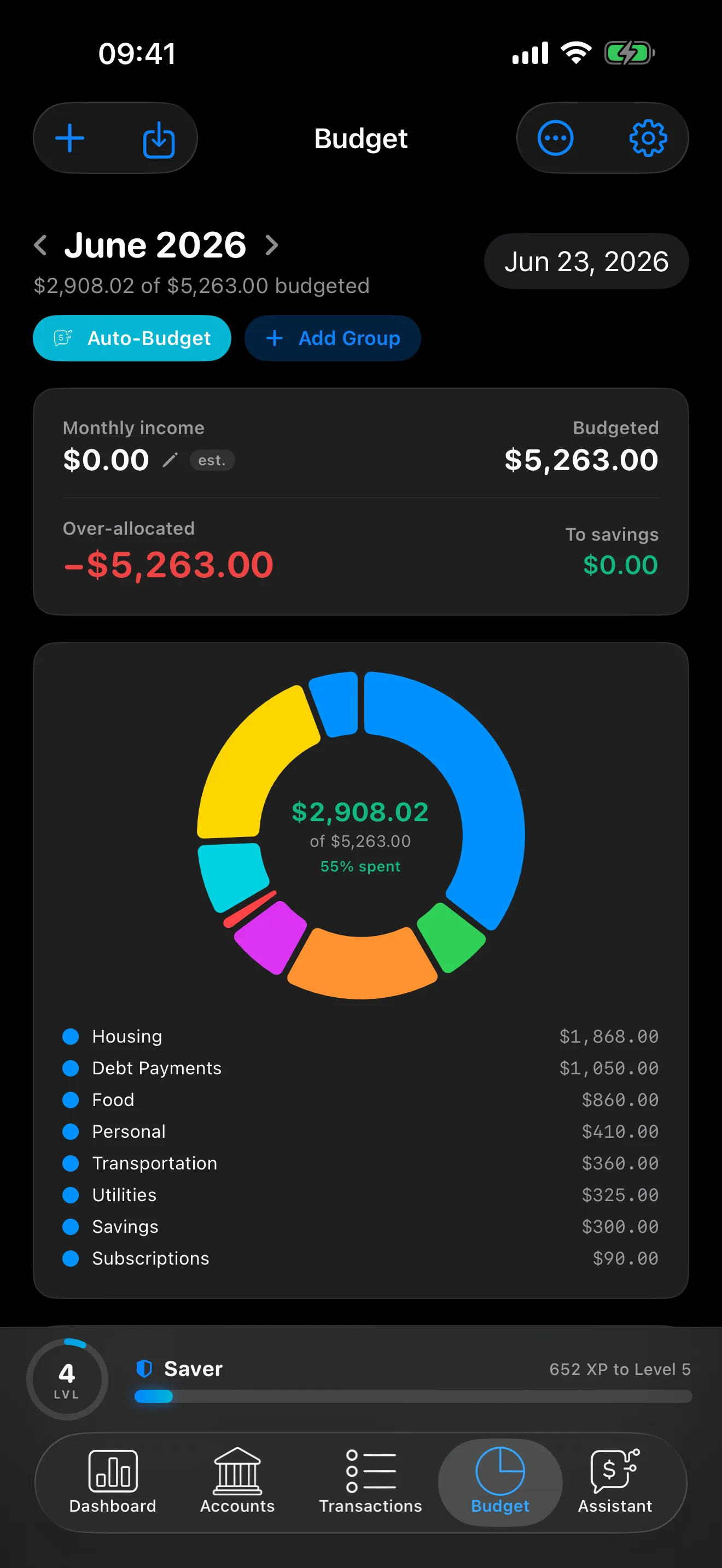
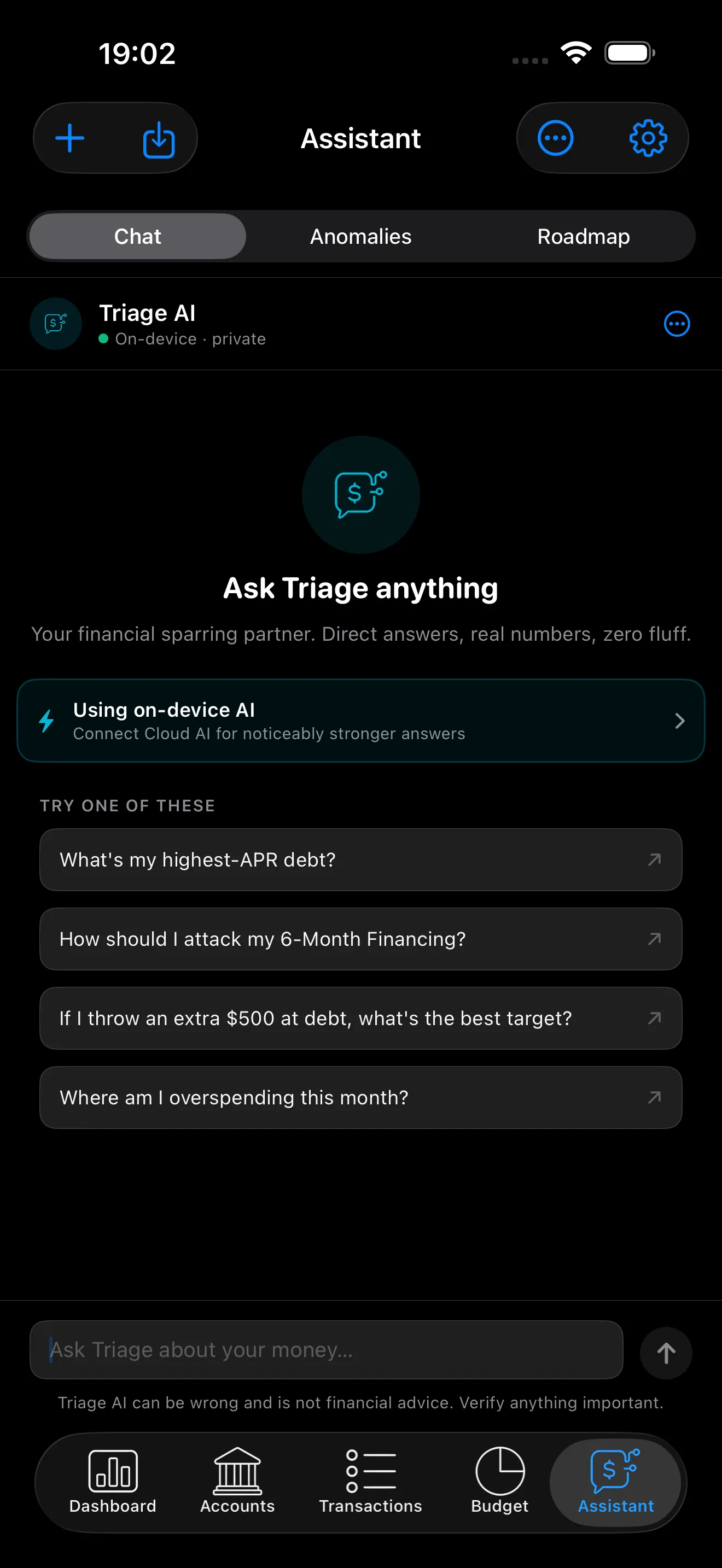
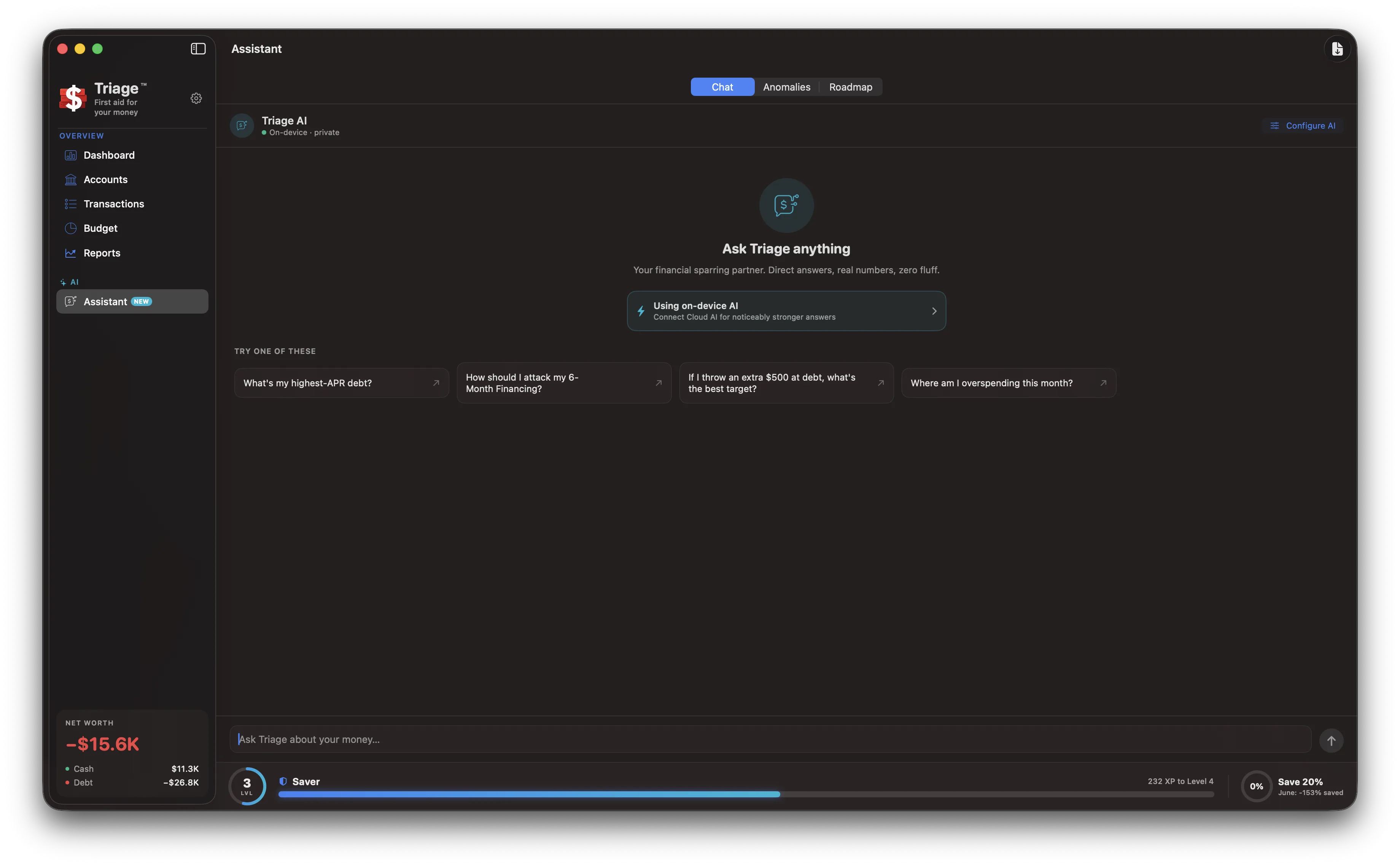
Triage AI reads your actual balances, APRs, minimum payments, and promotional-financing deadlines, then builds a month-by-month payoff roadmap. It also drafts a realistic monthly budget and answers plain questions about your money. All of it runs on your device.
Pick the strategy you will actually stick to. Avalanche goes after the highest APR first for the lowest total interest, snowball clears the smallest balance first for the earlier win, and custom order lets you set the sequence yourself. A side-by-side comparison shows what each one costs you, with a plain-language explainer of how the numbers were reached.
Test a payoff plan before you commit to it.
Got a refund, a bonus, or a spare few hundred dollars? Drop it into the what-if simulator and see the answer in one screen: how far the lump sum moves your debt-free date, how much interest it saves, what it does to your safe-to-spend cushion for the next month, and whether it clears a deferred-interest cliff before the promo expires. Nothing is saved until you decide to act on it.
The numbers that matter, in one place.
Triage flags unusual charges and writes you a plain-language summary of the month.
Net worth
Cash, debt, and investments netted into one number, charted over time.
Debt and APRs
Every balance with its APR, credit limit, and minimum payment.
Promo deadlines
Deferred-interest balances with a countdown to the cliff.
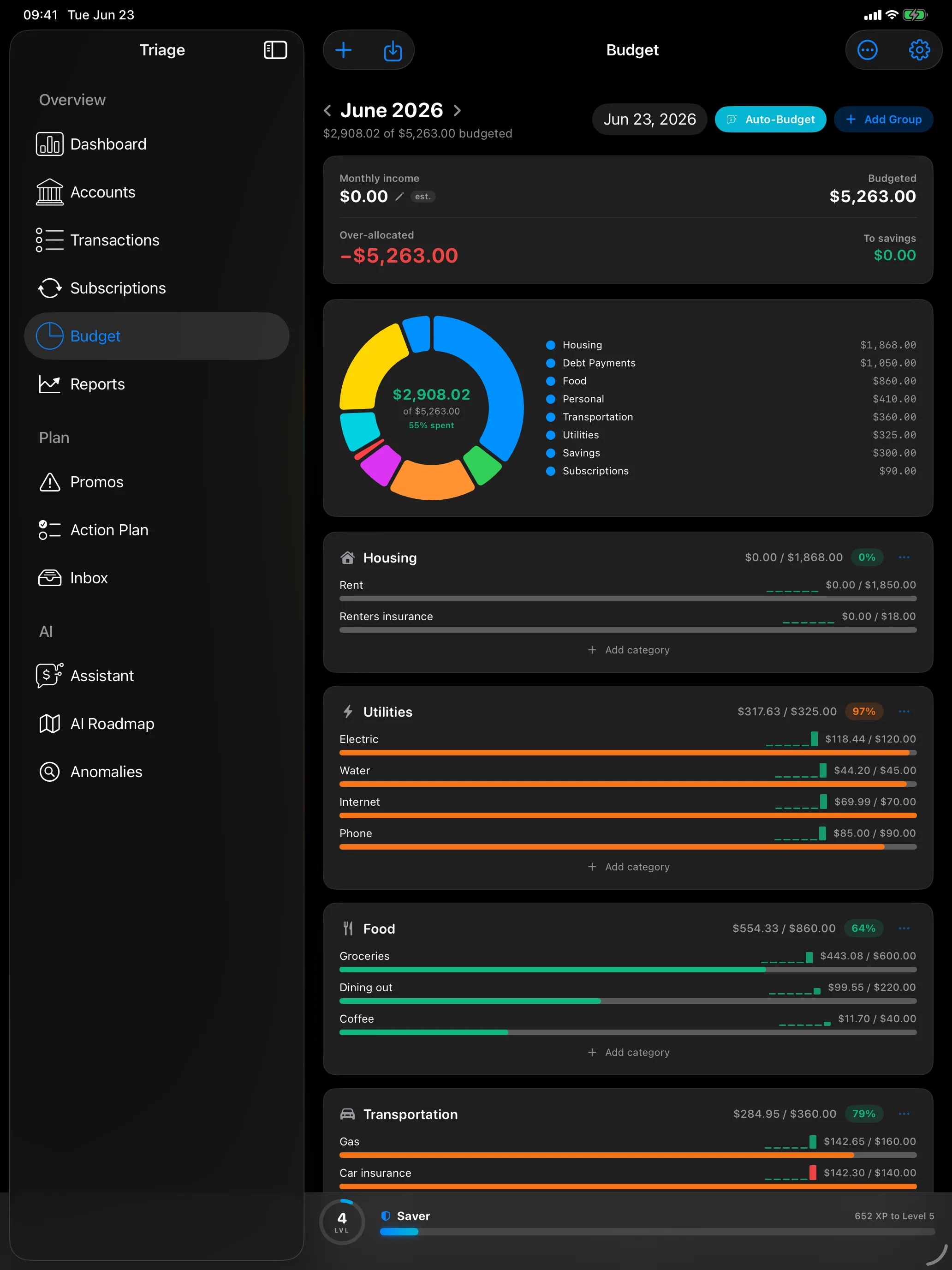
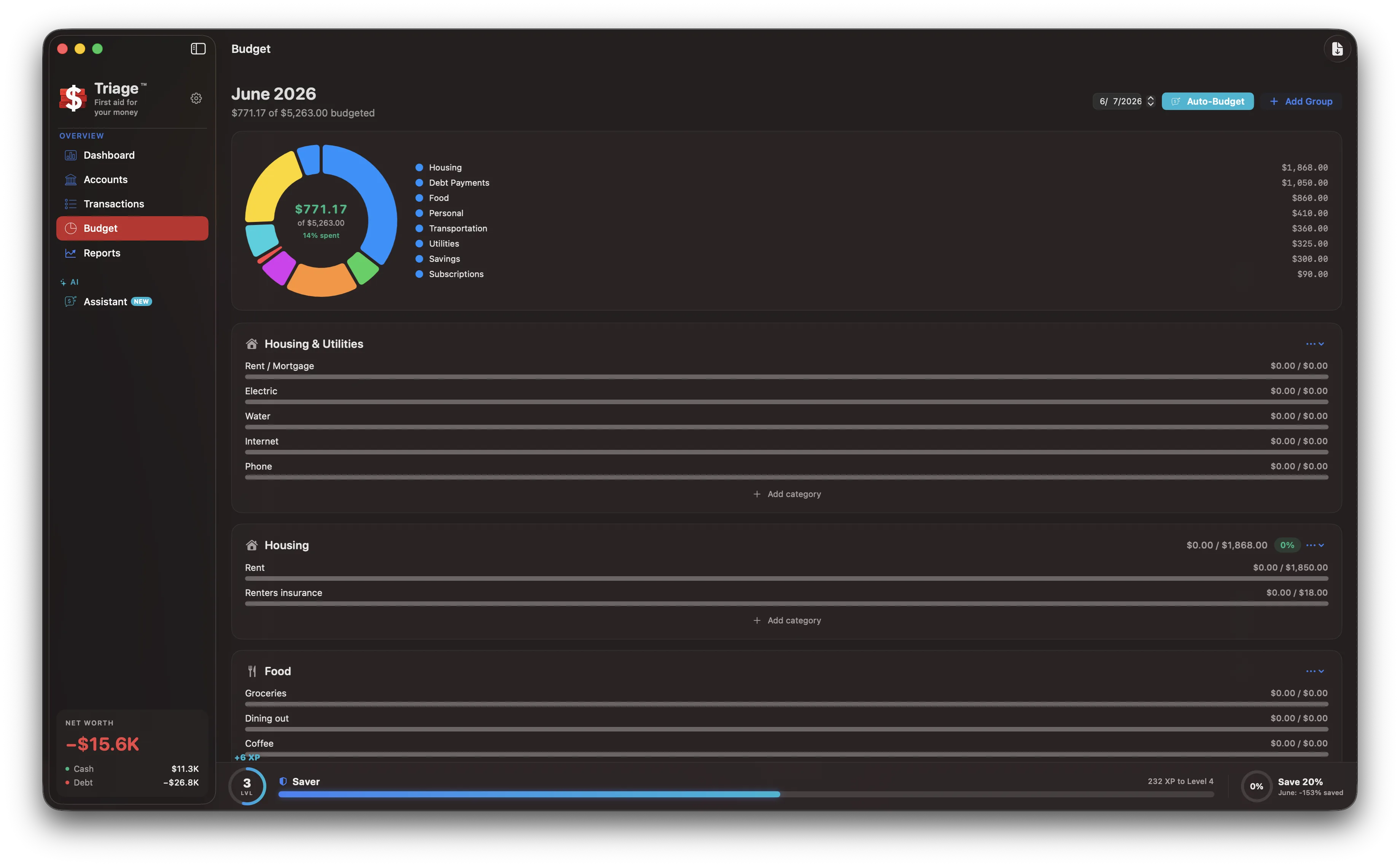
Budgets
Category limits that tell you where you stand, calmly.
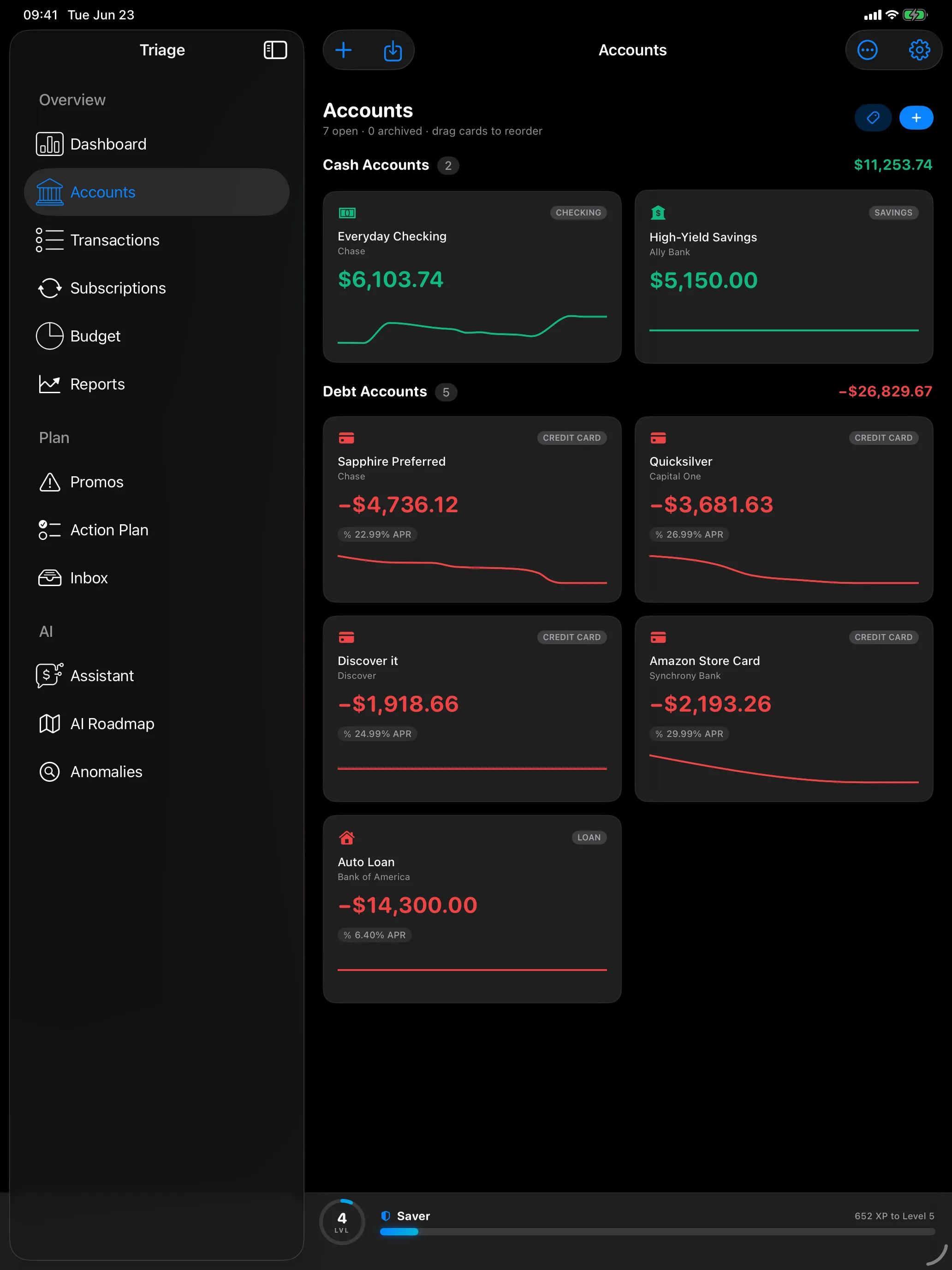
Accounts
Checking, savings, cards, loans, and investments, all in one place.
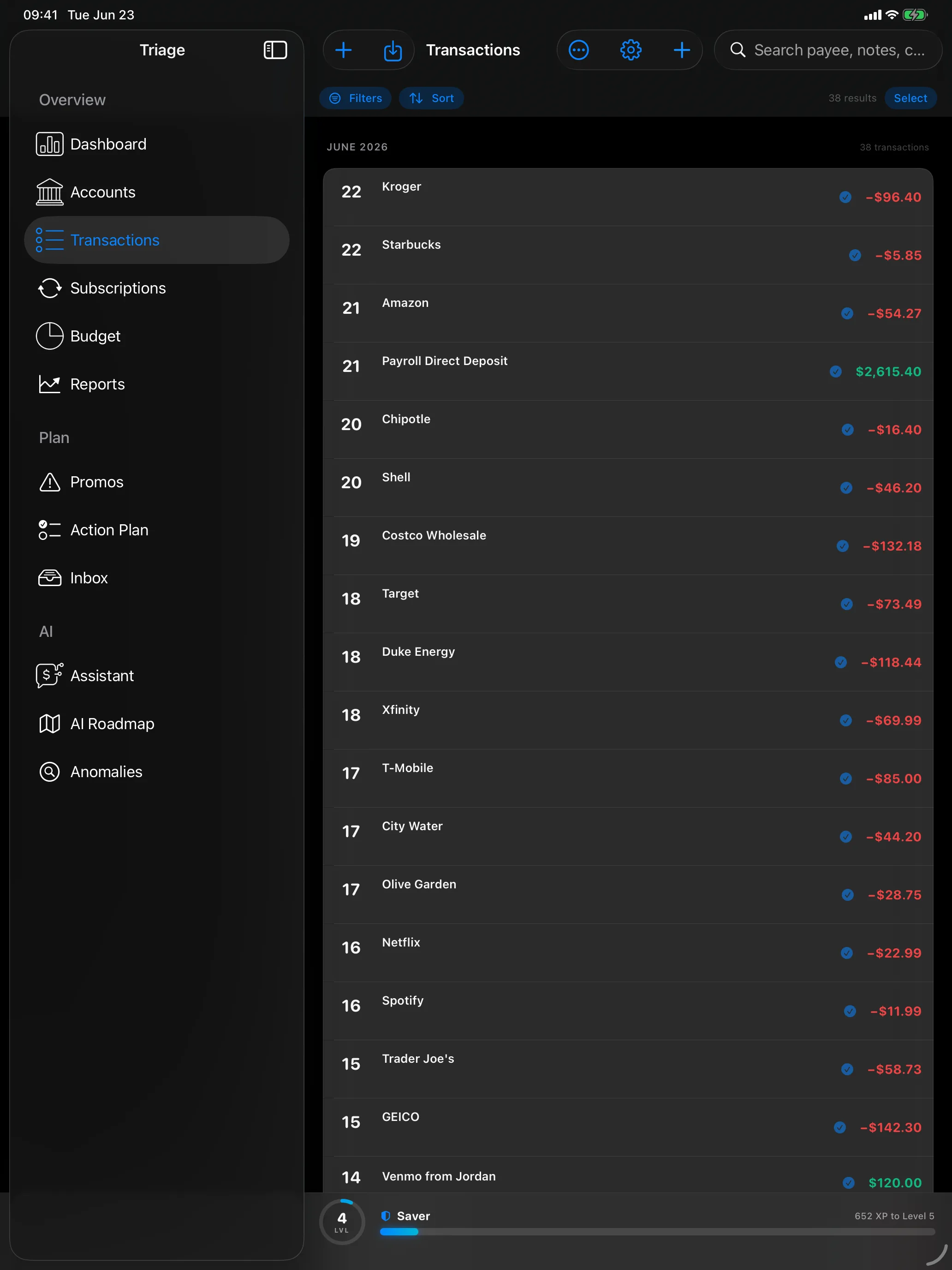
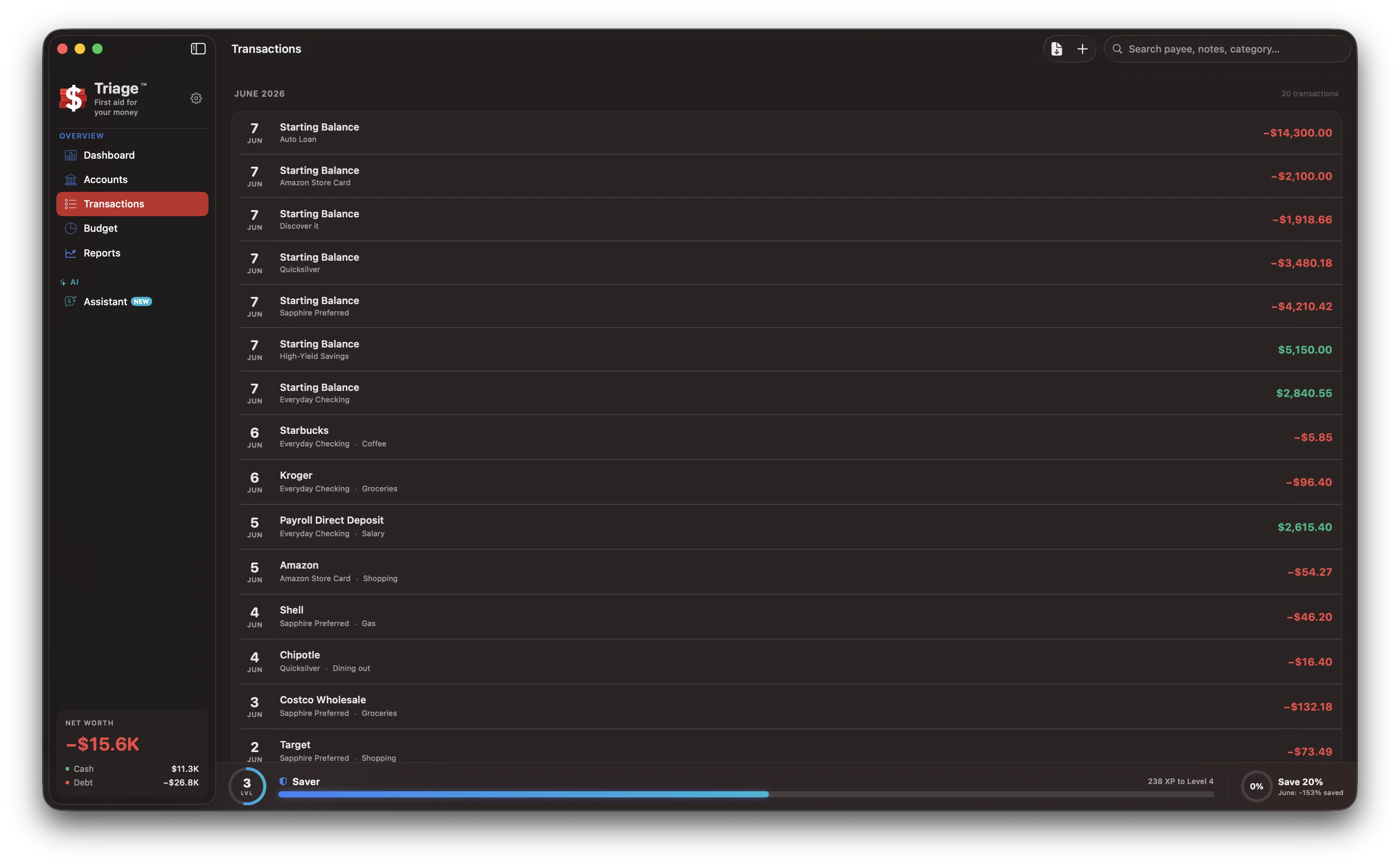
Transactions
A full ledger, with unusual charges flagged for you.
Subscriptions
Every recurring charge in one hub, with price jumps flagged when a renewal quietly goes up.
Savings goals
Sinking funds for an emergency fund, a trip, or a big purchase, with contributions tracked against each one.
Safe to spend
What is actually free to use after every committed bill in the next 30 days.
Your money stays your business.
No account
There is no Triage account to create and nothing to log into.
No server
Your accounts, balances, and transactions never touch a Triage server.
Encrypted on device
Your data lives in an encrypted database on your device.
AI runs on your device
Triage AI runs on-device by default using Apple's built-in models.
No tracking
No analytics, no telemetry, and no ads.
There is no Triage account and no Triage server. Your accounts, balances, and transactions live in an encrypted database on your device. The AI runs on-device by default using Apple's built-in models. Cloud AI is strictly opt-in, off by default, and uses your own provider key. Full account, card, routing, Social Security, and IBAN numbers are removed before anything leaves the device (only the last four digits are sent, alongside payee, amount, date, and category); redaction is best effort, and the redacted text then goes to the provider you choose under that provider's terms, which RoxyKovu does not control. No analytics, no telemetry, no ads. Optional iCloud sync between your own devices is end-to-end encrypted.
Bring statements, not bank logins.
Drop a bank statement or export into the inbox. Triage parses it, cleans up messy merchant names, suggests categories, and routes rows to the right account, then shows you a review screen where nothing commits until you say so. No screen-scraping, no handing a third party your online-banking password.
The same triage, in your pocket.
The full toolkit on iPhone and iPad.
The dashboard, accounts, transactions, budgets, subscriptions, savings goals, promo deadlines, and Triage AI with the roadmap, anomaly scanning, and chat. iPad runs as a native two-column app rather than a stretched phone layout. Same local-first rules on every device: your data stays in an encrypted database on the device, and optional iCloud sync between your own devices is end-to-end encrypted.
Triage on the go.
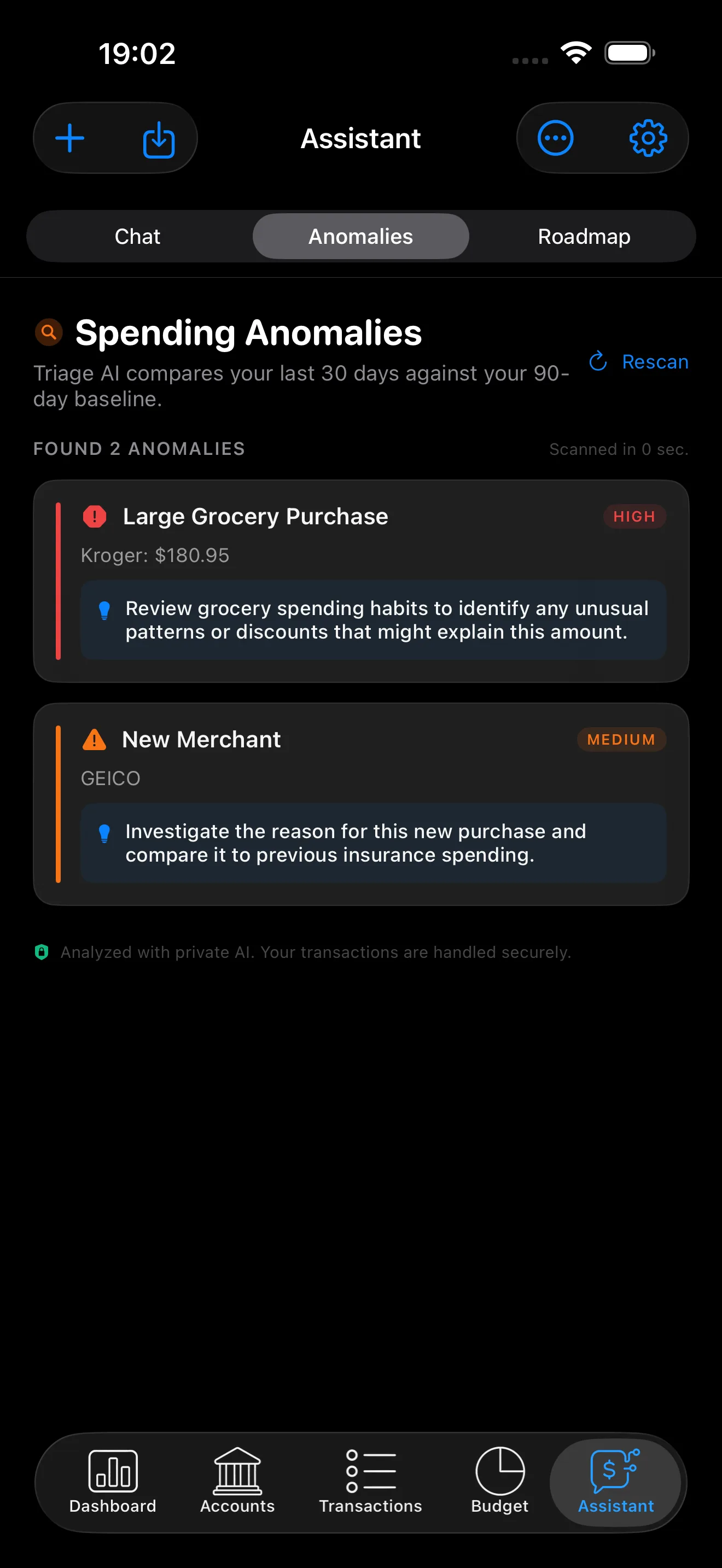
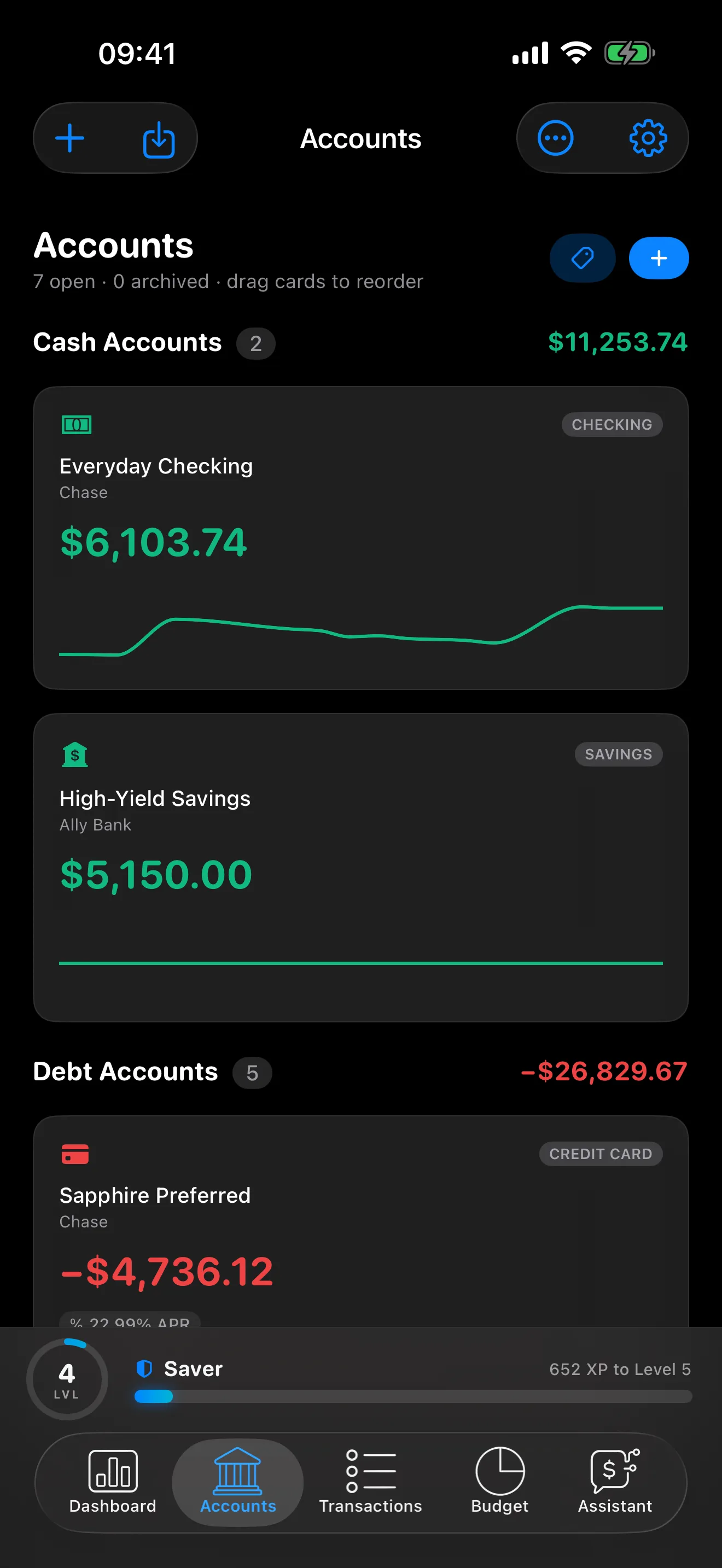
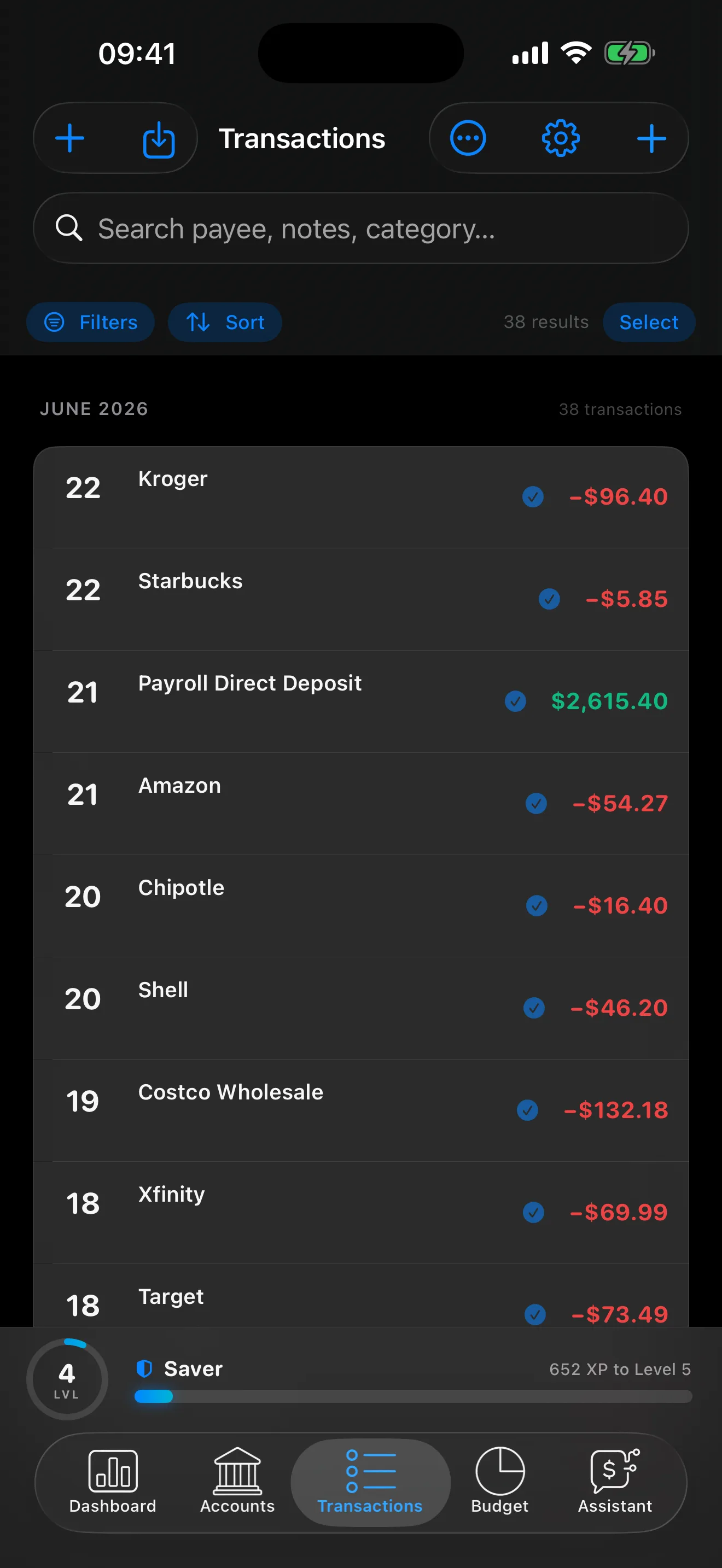
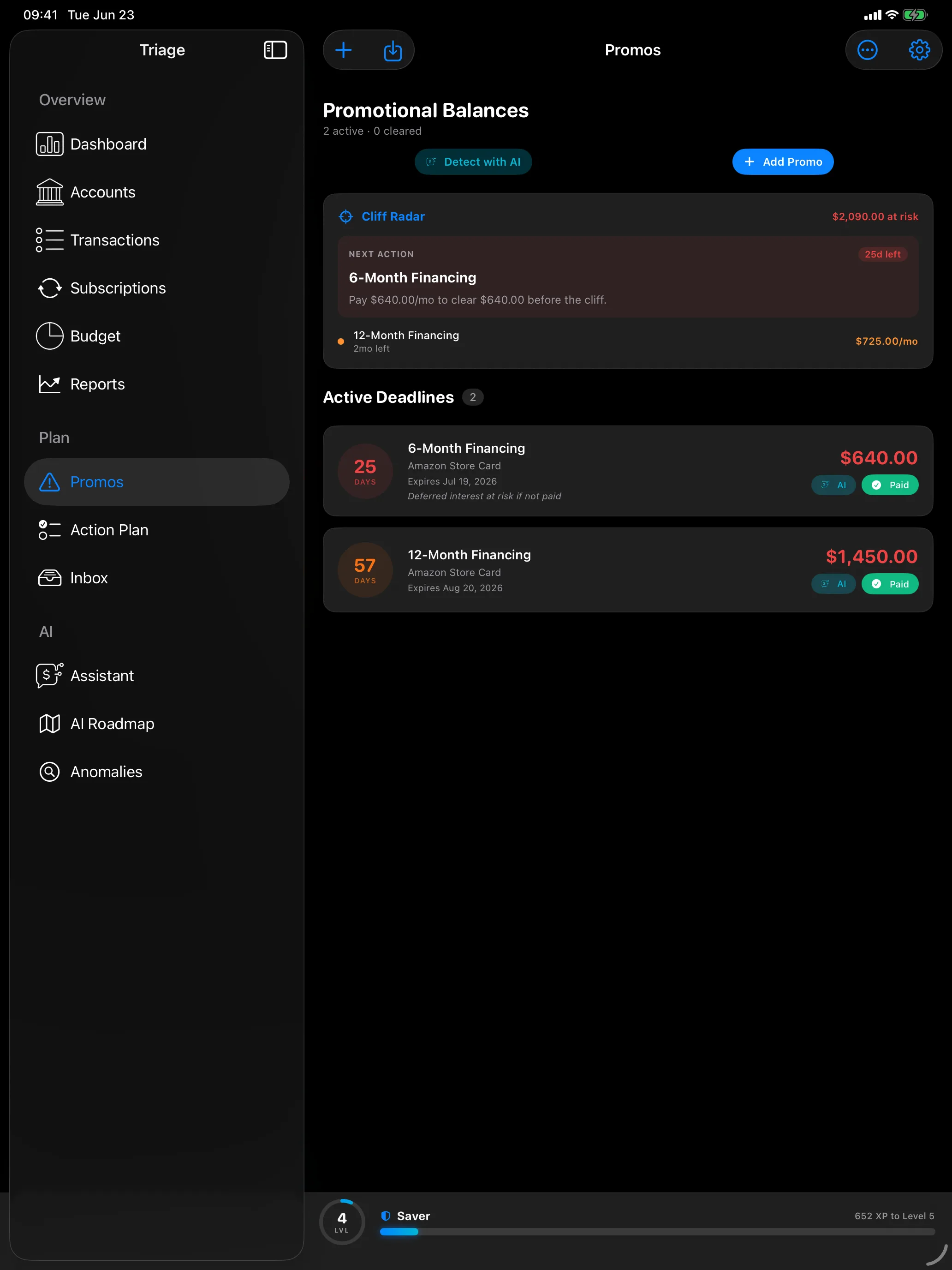
A native two-column workspace.
iPad gets a real sidebar grouped into Overview, Plan, and AI, not a stretched phone layout. All orientations, multitasking aware.
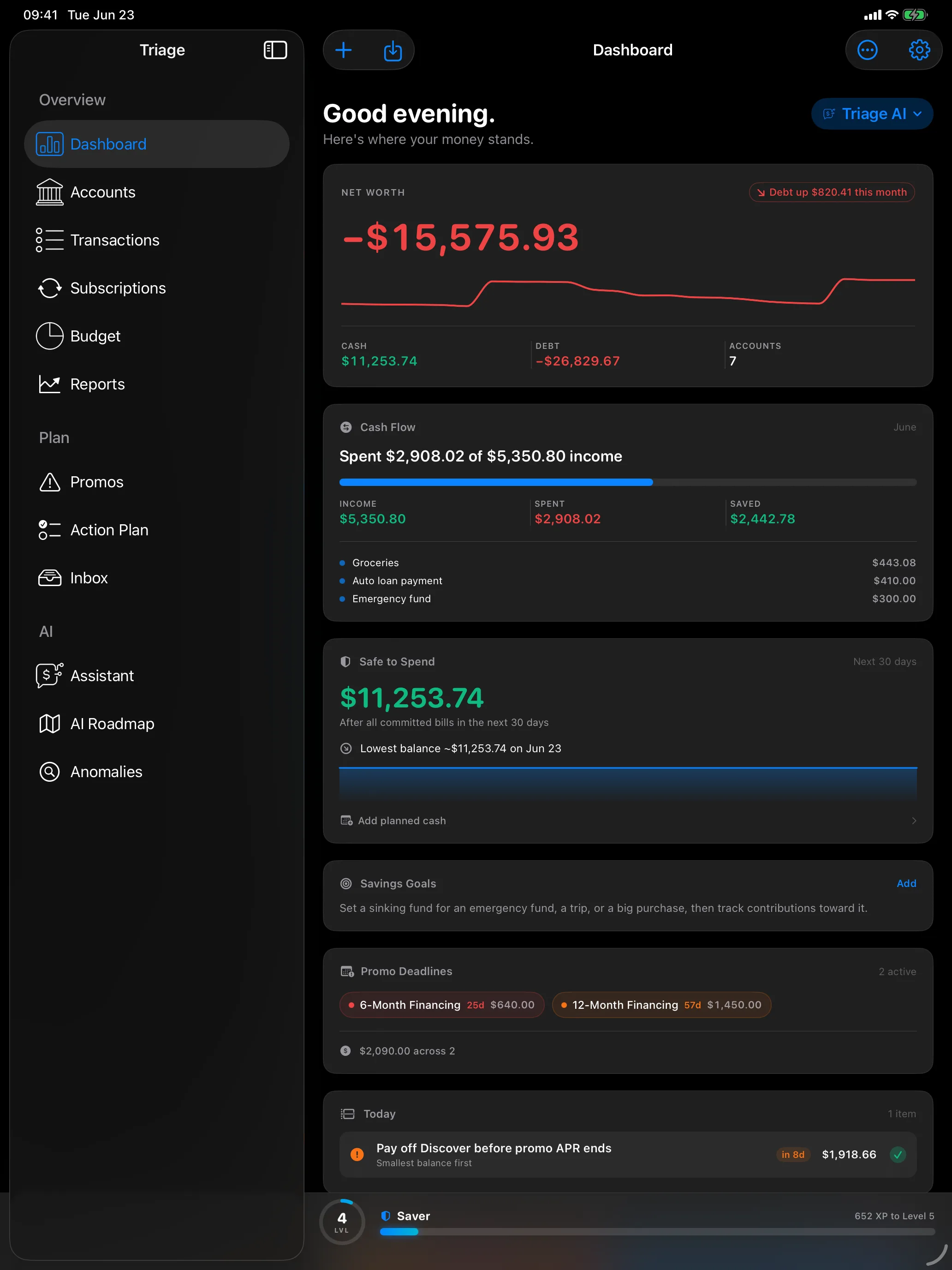
The full command center.
First aid for your money.
Triage is on the App Store, free for iPhone, iPad, and Mac. Import any statement, catch every 0% deadline, and test a payoff plan before you commit to it. The Triage AI tier, the payoff roadmap, auto-budget, and the assistant, is free for 3 days, then a one-time $0.99 unlock. No subscription. Everything else stays free. Built for iOS 26, iPadOS 26, and macOS 26. Current version 1.0.5.